
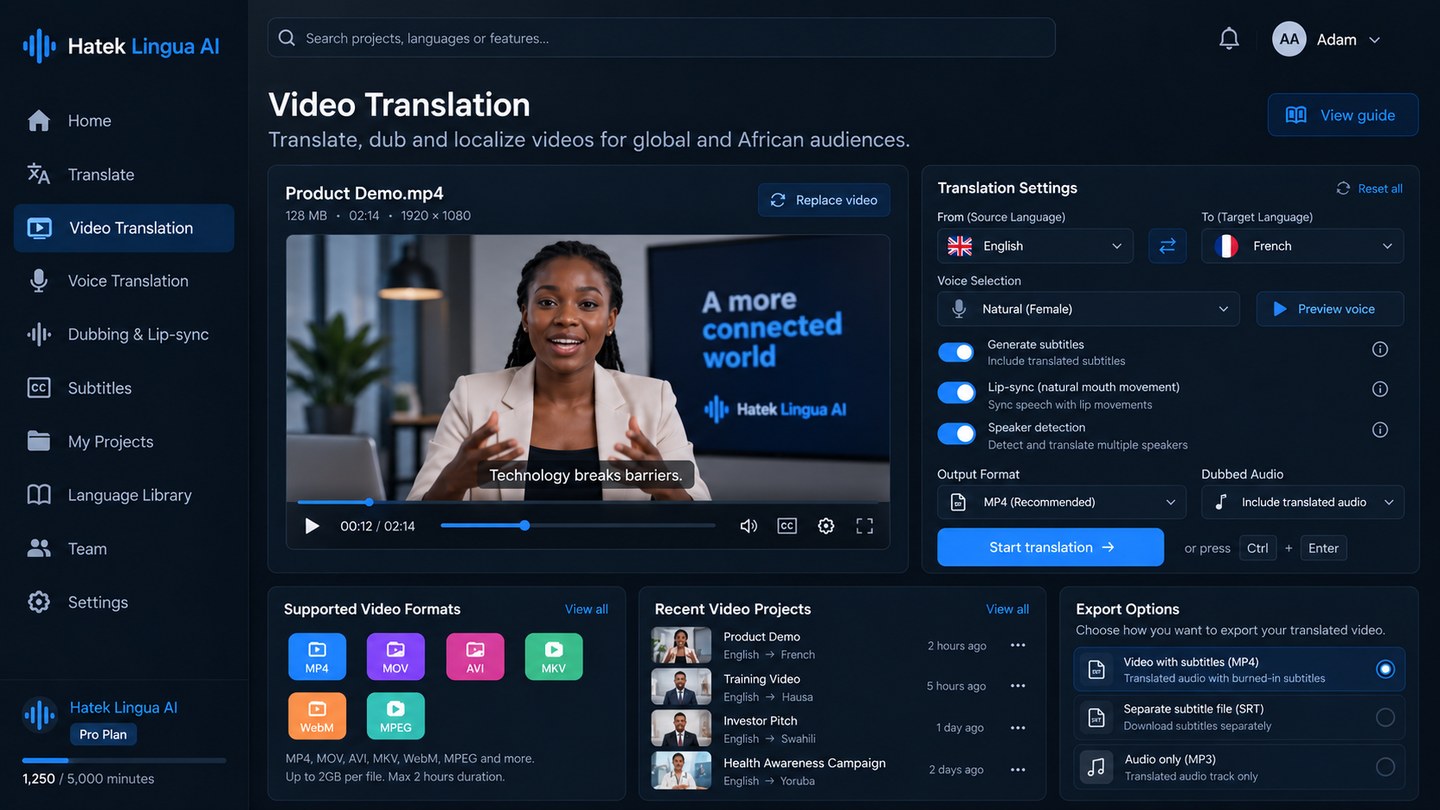
Video translation
Source video, language, voice and output controls in one view.
The video workspace brings together target-language selection, generated speech, subtitles, speaker handling, lip synchronisation and export settings.
The product combines speech recognition, translation, generated speech, video processing and quality evaluation in an end-to-end workflow. Each part contributes to the final translated video.
This page describes the product architecture used to connect speech, translation, generated voice, video processing and quality review in one workflow.
The main technical challenge is keeping language meaning, speech timing and visible mouth movement consistent with one another.
The system identifies spoken words, speaker changes and the timing of each segment. This timing information is needed later when translated speech is generated.
The spoken content is translated into the target language while preserving meaning, names, terminology and conversational context as closely as possible.
The translated text is converted into speech. Pronunciation, naturalness, pacing and duration are important because the audio must still fit the video.
The video is adjusted so the visible speaker's mouth movement follows the generated target-language speech while the surrounding scene remains stable.
The output is checked for translation quality, pronunciation, speech timing, visual consistency and common failure cases before it is accepted.
Hatek Lingua AI hides the complexity of the individual AI systems behind a simple workflow: upload video, choose an available target language, review the result and export.
Users move from source media and language settings to generated output, review and export without leaving the localisation workspace.
The video workspace brings together target-language selection, generated speech, subtitles, speaker handling, lip synchronisation and export settings.
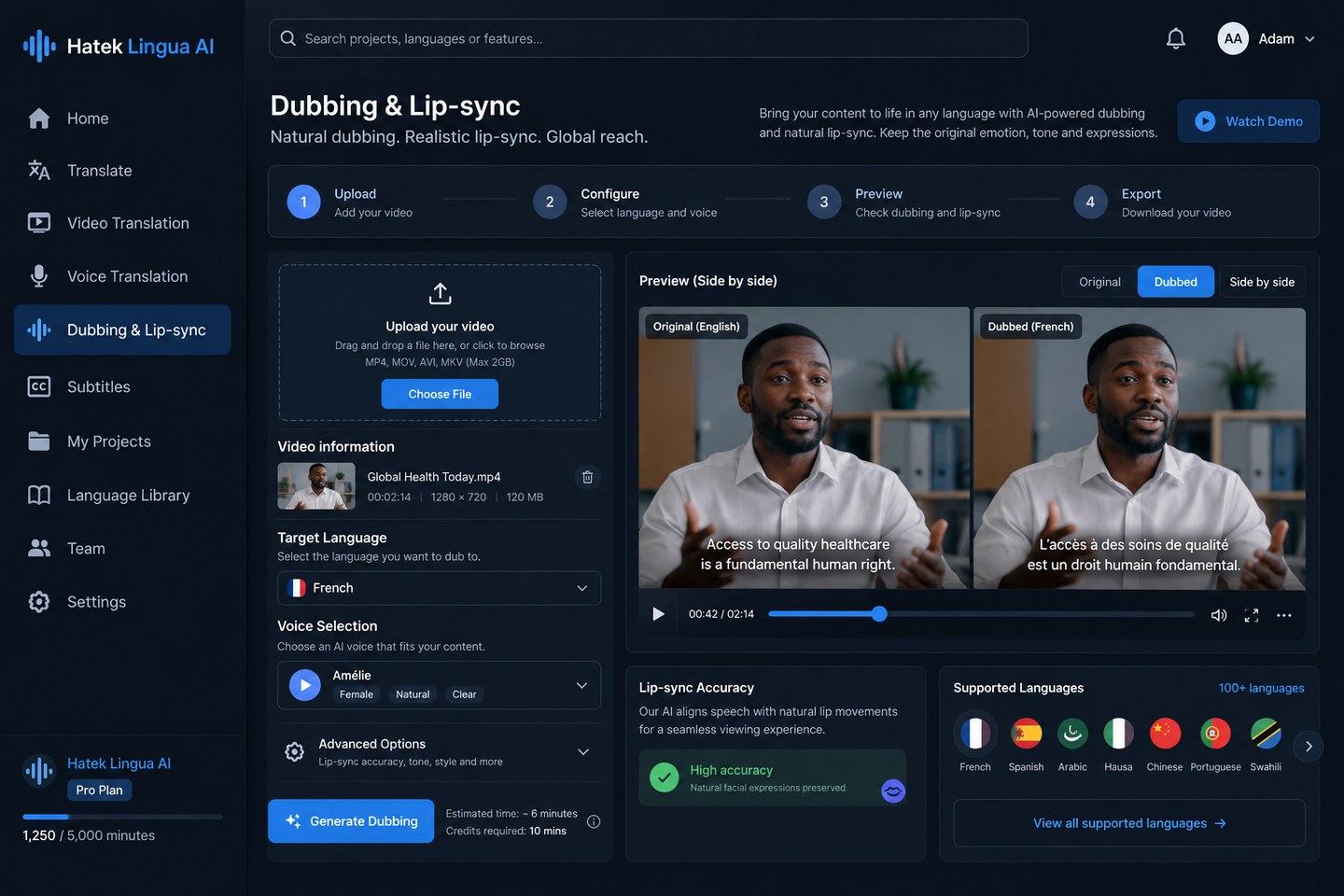
The dubbing workspace is designed for comparing the source and dubbed versions while adjusting language, voice and synchronisation settings.
The product is offered through managed access for customer, partner and language workflows.
A strong translation with poor pronunciation is not enough. Good audio with unstable lip synchronisation is not enough either. Evaluation therefore has to cover the full audiovisual result.
Does the translated speech preserve the intended message?
Are names, local words and target-language sounds spoken correctly?
Does the translated speech fit the available speaking time naturally?
Does the face remain stable while mouth movement follows the new speech?
Beyond the translation pipeline, the product includes account, language, notification, storage and translation preferences.
These controls help organisations standardise how projects are created and managed while keeping account and workspace settings in one place.
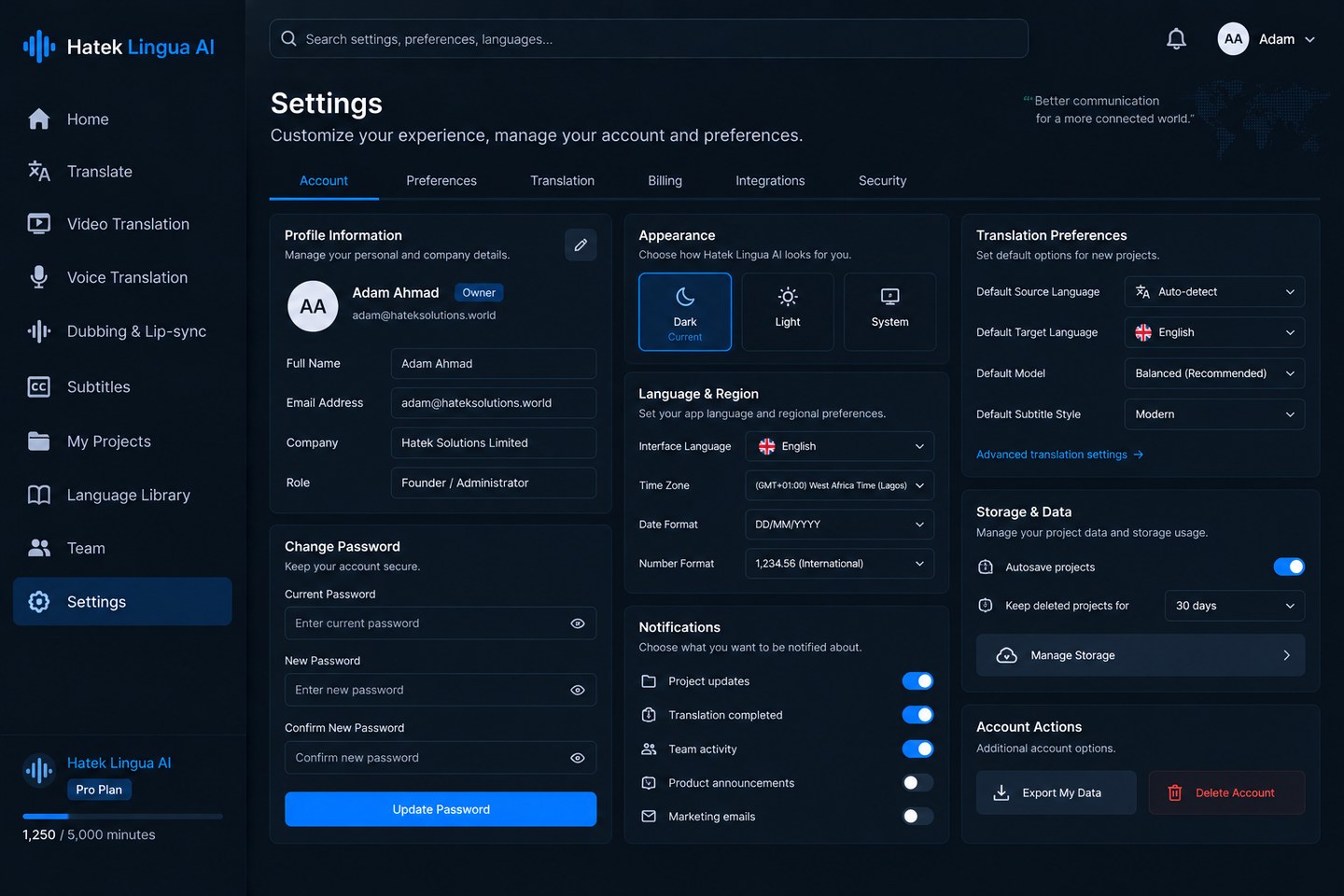
The settings area centralises defaults for translation, regional preferences, notifications, storage and account controls.
Hatek Lingua AI is designed to use NVIDIA GPU infrastructure for compute-intensive speech, language and video workloads.
NVIDIA CUDA can accelerate model workloads, while TensorRT can optimise inference for latency and cost as the platform scales. Infrastructure choices are benchmarked against model size, throughput, quality and operating cost.
Partnership opportunities include language data, native-language expertise, AI infrastructure, video workflows and technical integration.